MAXIFORTE Attend

Know exactly who worked, when, and where.

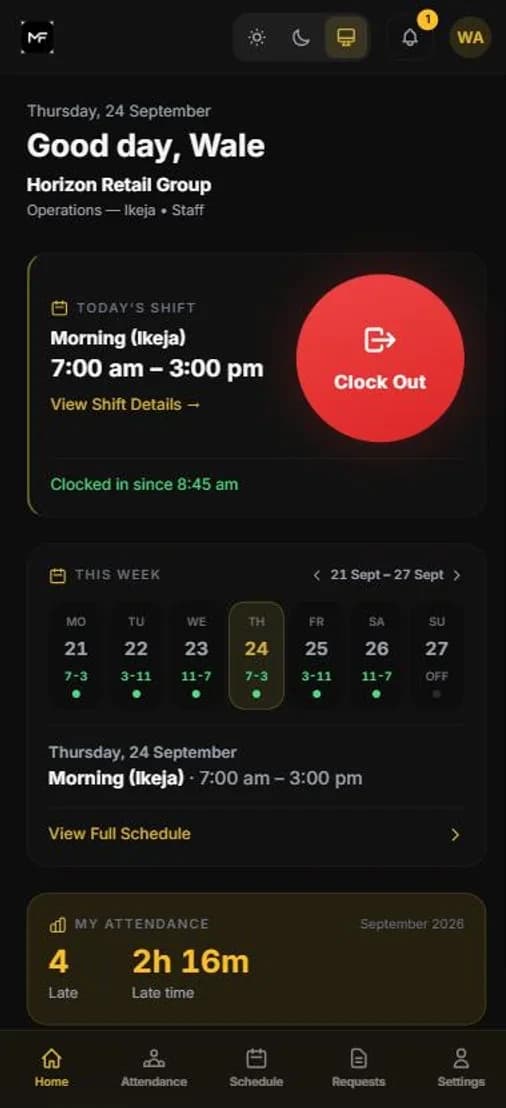
GPS-verified attendance for any team. Staff clock in from any browser or phone — no app store, no IT setup, no commitment to get started.

The problem

Manual attendance creates errors that compound.

Paper-based and manual clock-in systems introduce inaccuracies at every stage. The errors accumulate invisibly and surface at exactly the wrong moment.

Buddy punching and proxy logins

Without identity verification, one employee can clock in for another. Hours are recorded for time that was never worked — with no way to detect it after the fact.

No real-time workforce visibility

Without live data, supervisors can only assess attendance after the shift ends — not during it, when gaps in coverage can still be addressed.

Attendance disputes at payroll time

Inaccurate shift records produce disagreements when summaries reach HR. Managers spend hours resolving discrepancies instead of running operations.

No visibility of remote or field staff

When staff work off-site, there is no reliable way to confirm presence. Phone check-ins are unverifiable and self-reported data is easy to manipulate.

Missing and incomplete records

Paper-based records get lost, damaged, or never submitted. When a dispute or compliance review arises, there is no accurate history to reference.

How it works

Six steps from clock-in to verified record.

Every attendance event passes through a structured verification workflow before it becomes a permanent record. No manual steps. No paper.

01

Clock In

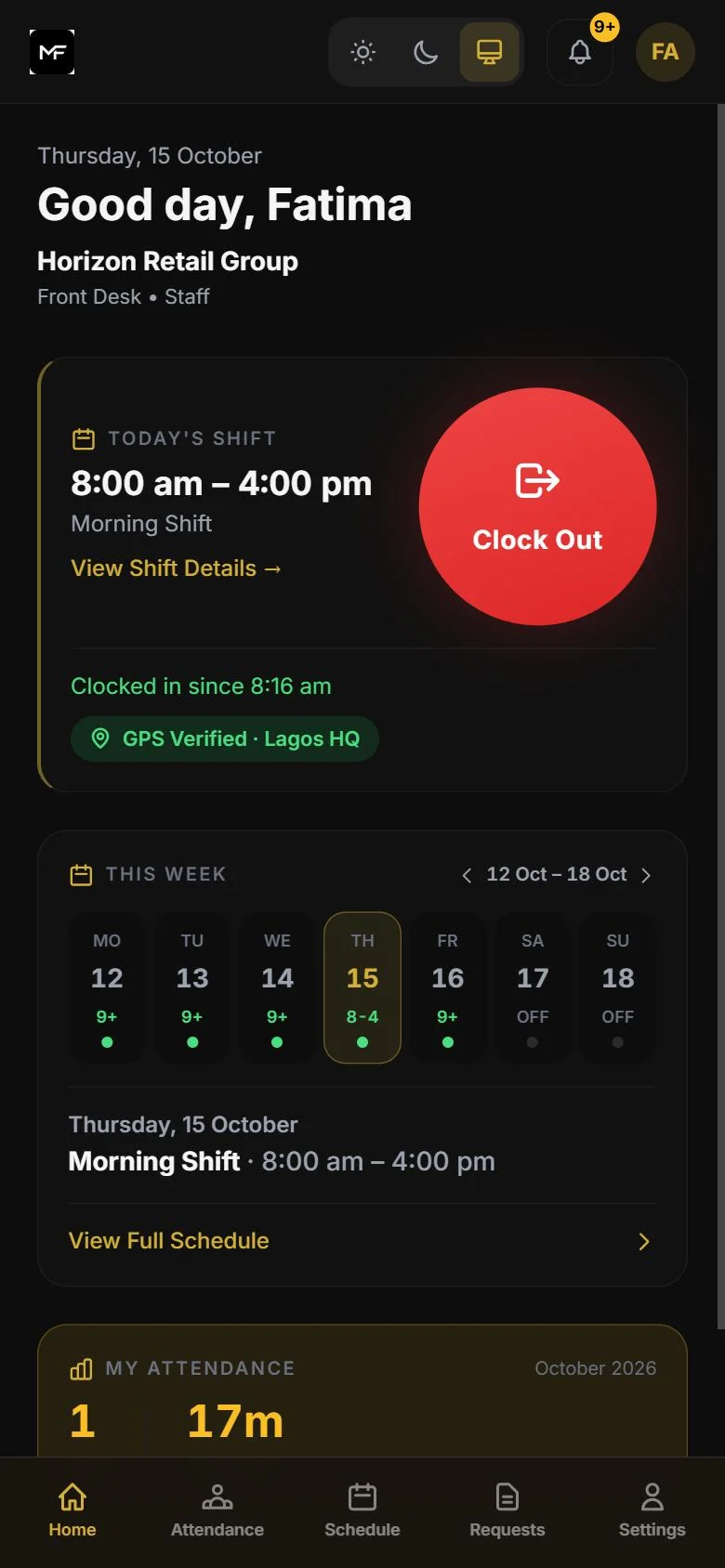
Staff open Attend on any device and initiate clock-in from their assigned work location.

02

GPS Verification

Device location is captured and validated against the assigned work site. Clock-ins from outside the authorised zone are flagged automatically.

03

Photo Verification

A real-time photo is captured during clock-in. HR and managers can review photos alongside records to verify attendance and resolve questions.

04

Shift Validation

Clock-in time is checked against the scheduled shift. Late arrivals, early departures, and unscheduled entries are captured and flagged.

05

Record Created

A verified attendance record is created automatically — timestamped, location-confirmed, and identity-linked. No manual entry required.

06

HR Visibility

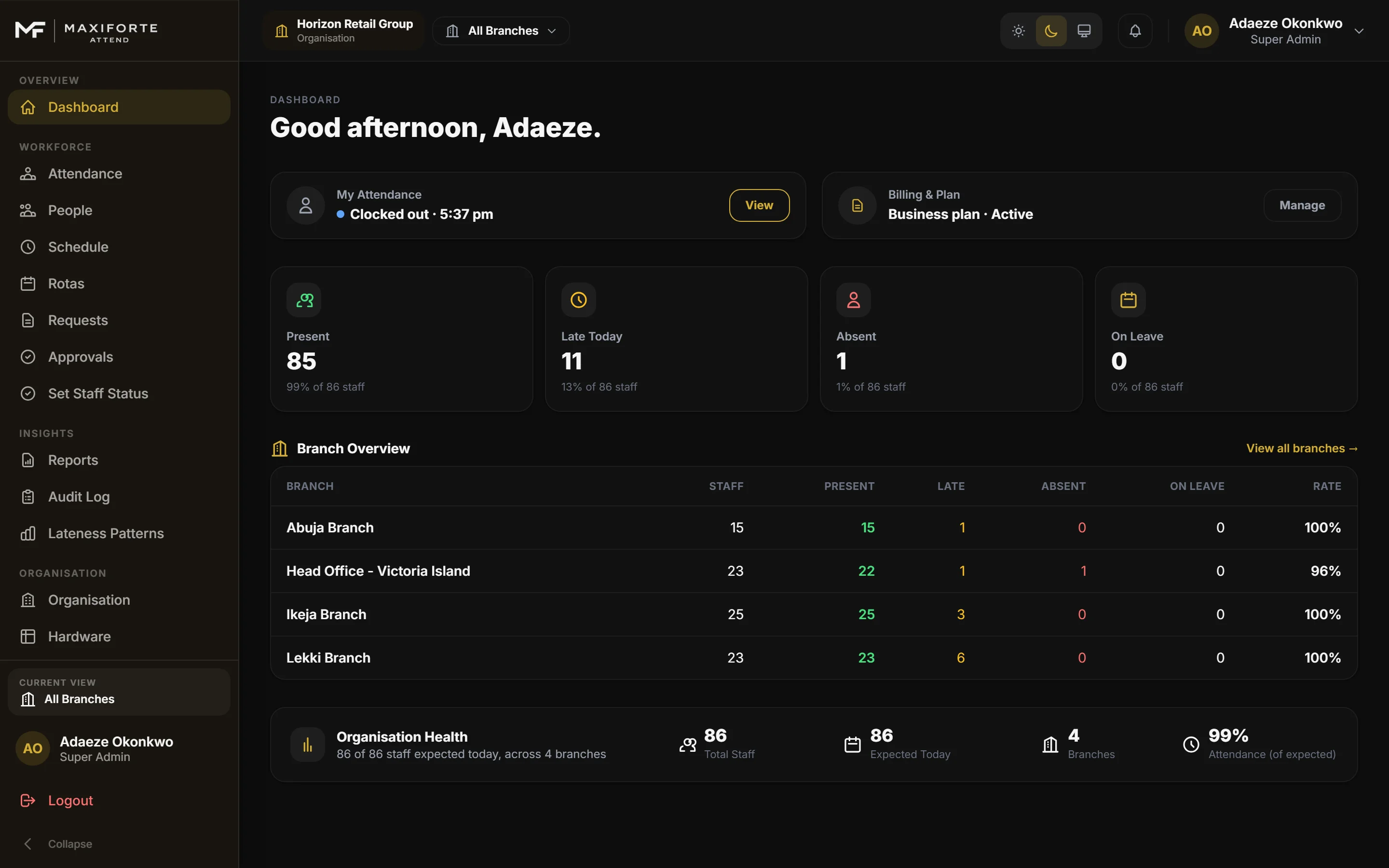
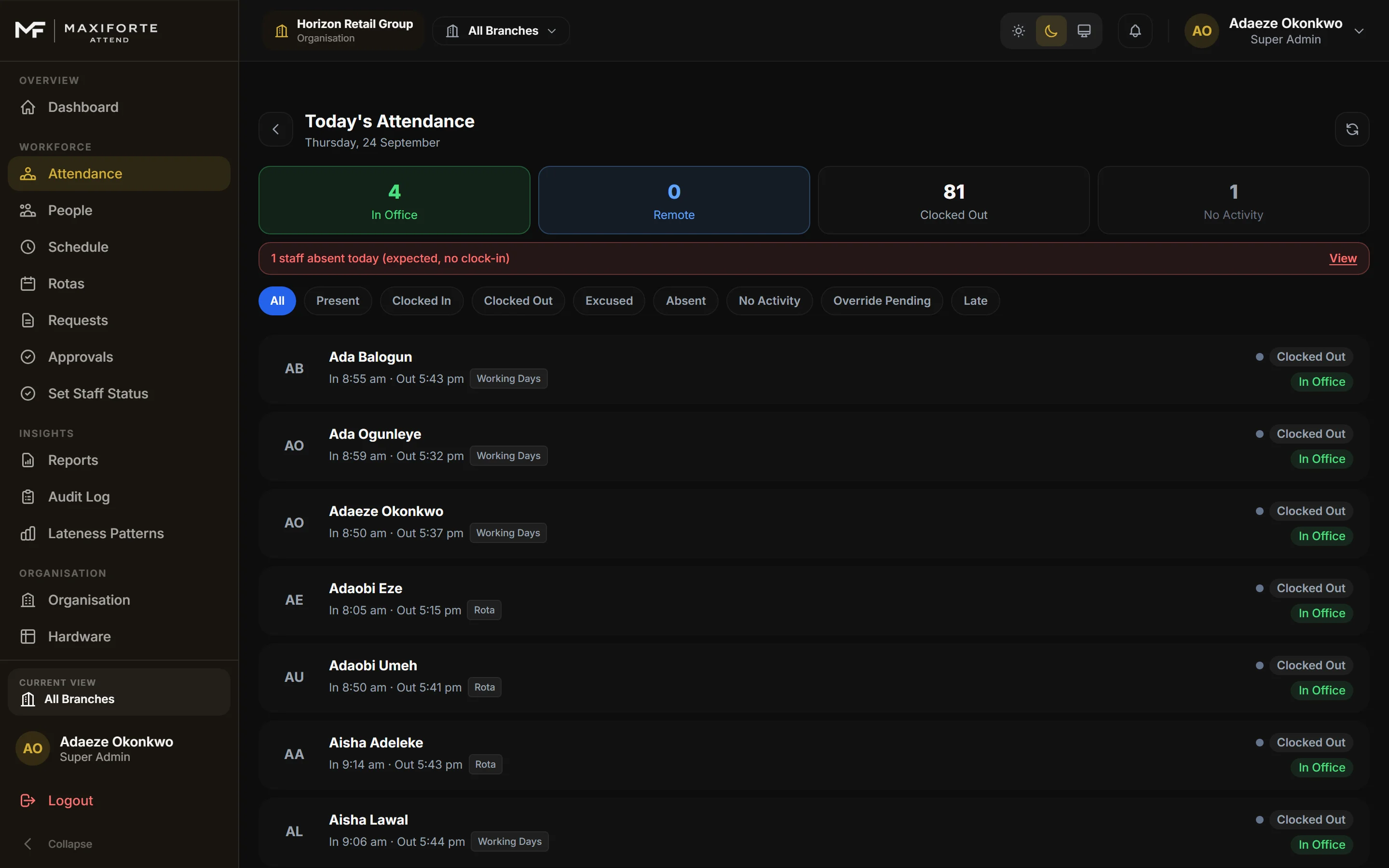
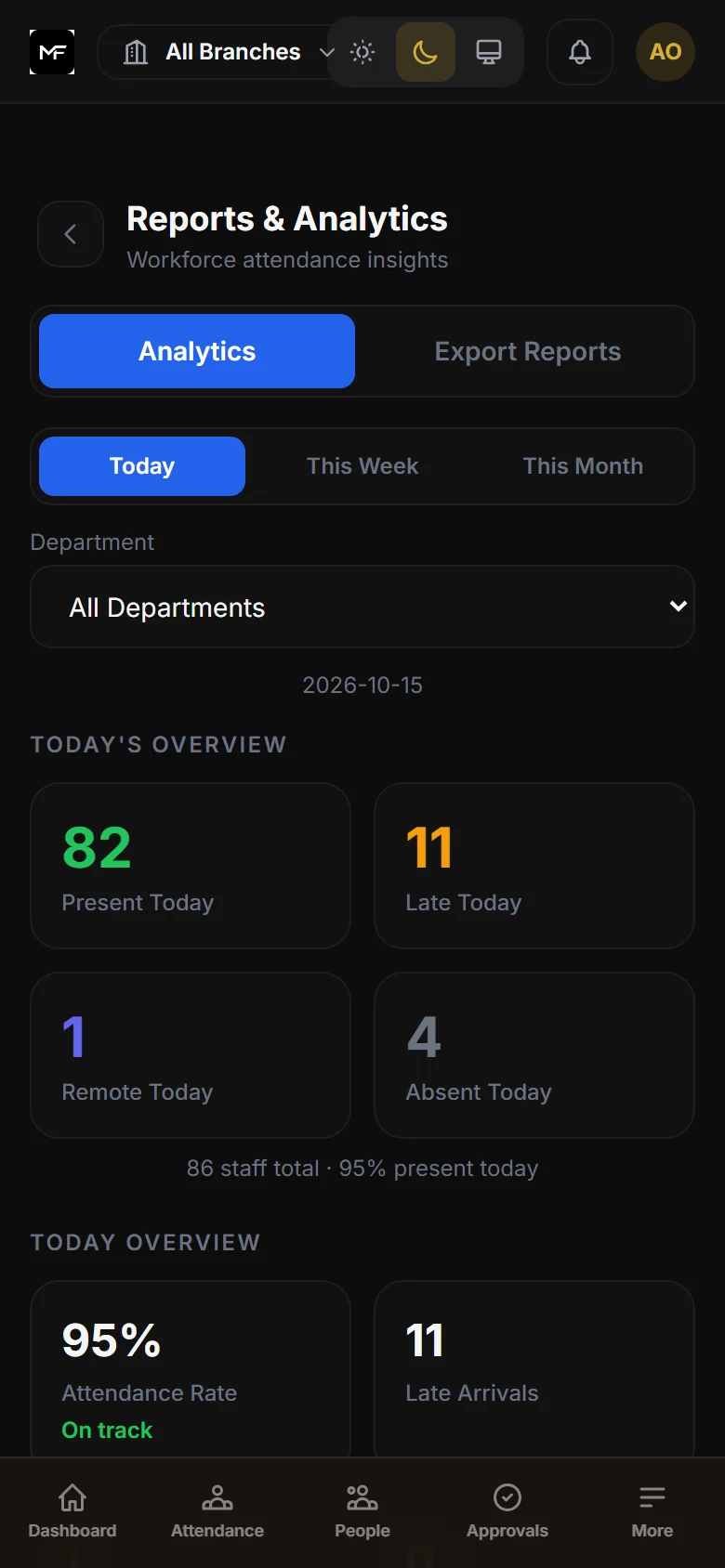
The record is immediately visible in the HR dashboard. Managers see live presence; HR sees verified sessions ready for review.

Core capabilities

Built for accurate workforce records.

Attend gives operations and HR the tools to verify attendance, track hours, and export attendance summaries.

Workforce verification

Confirm identity and location at every clock-in.

  • Real-time photo captured during clock-in for HR review
  • GPS location validated against the assigned work site
  • Manual admin review for any questionable attendance entries
  • Employee database with shift assignments and site access

Attendance & hours tracking

Track every session across every location.

  • Live presence view: who is in, who is absent, right now
  • Total hours worked per session, day, and period
  • Lateness, early departure, and incomplete session flagging
  • Multi-site support with per-location shift configuration

Reporting & exports

Attendance data ready for HR and payroll teams.

  • Exportable attendance summaries by employee, team, or period
  • Hours worked, lateness, and absence breakdowns
  • Overtime and shift attendance records
  • Role-based dashboard access for managers and HR

Workforce structure

Configure Attend around how your business runs.

  • Department, team, and role hierarchy management
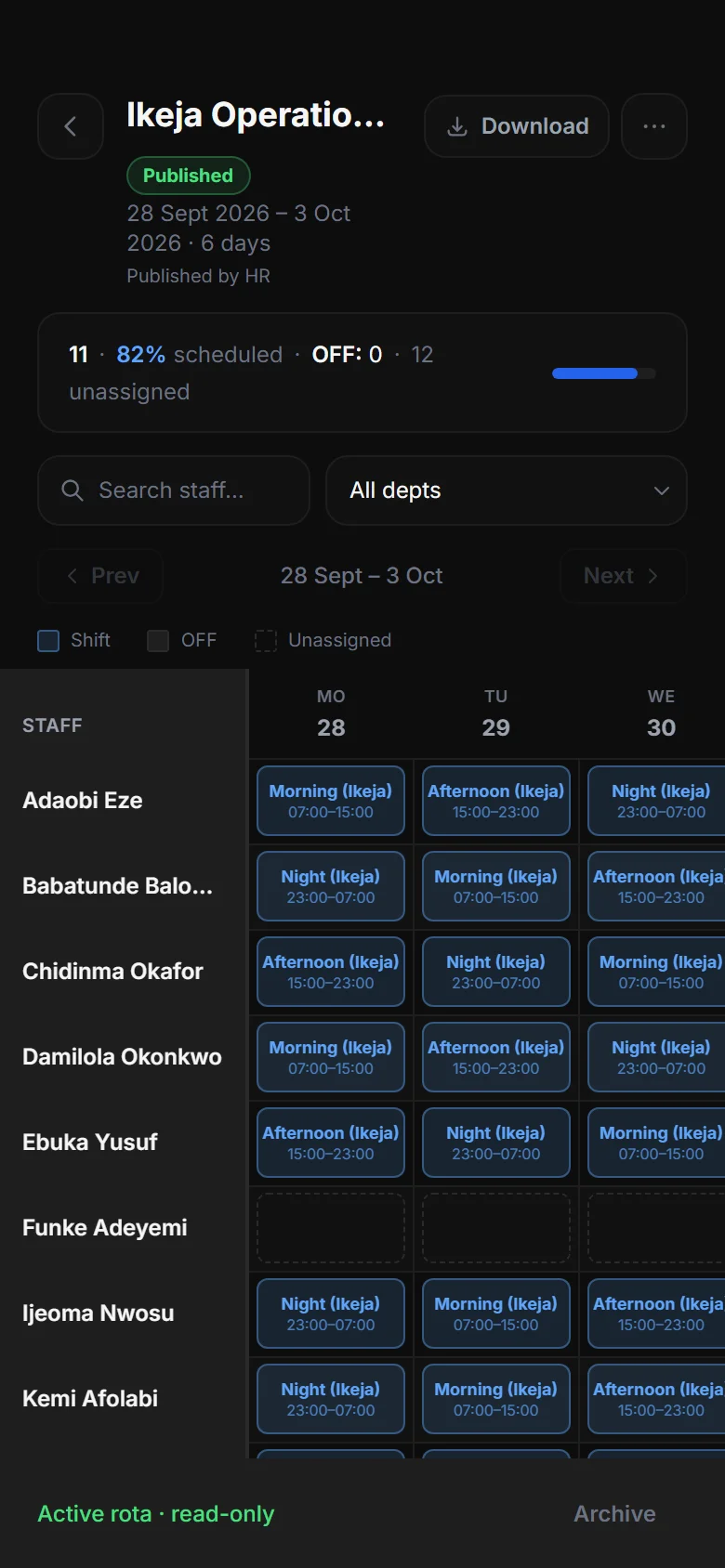
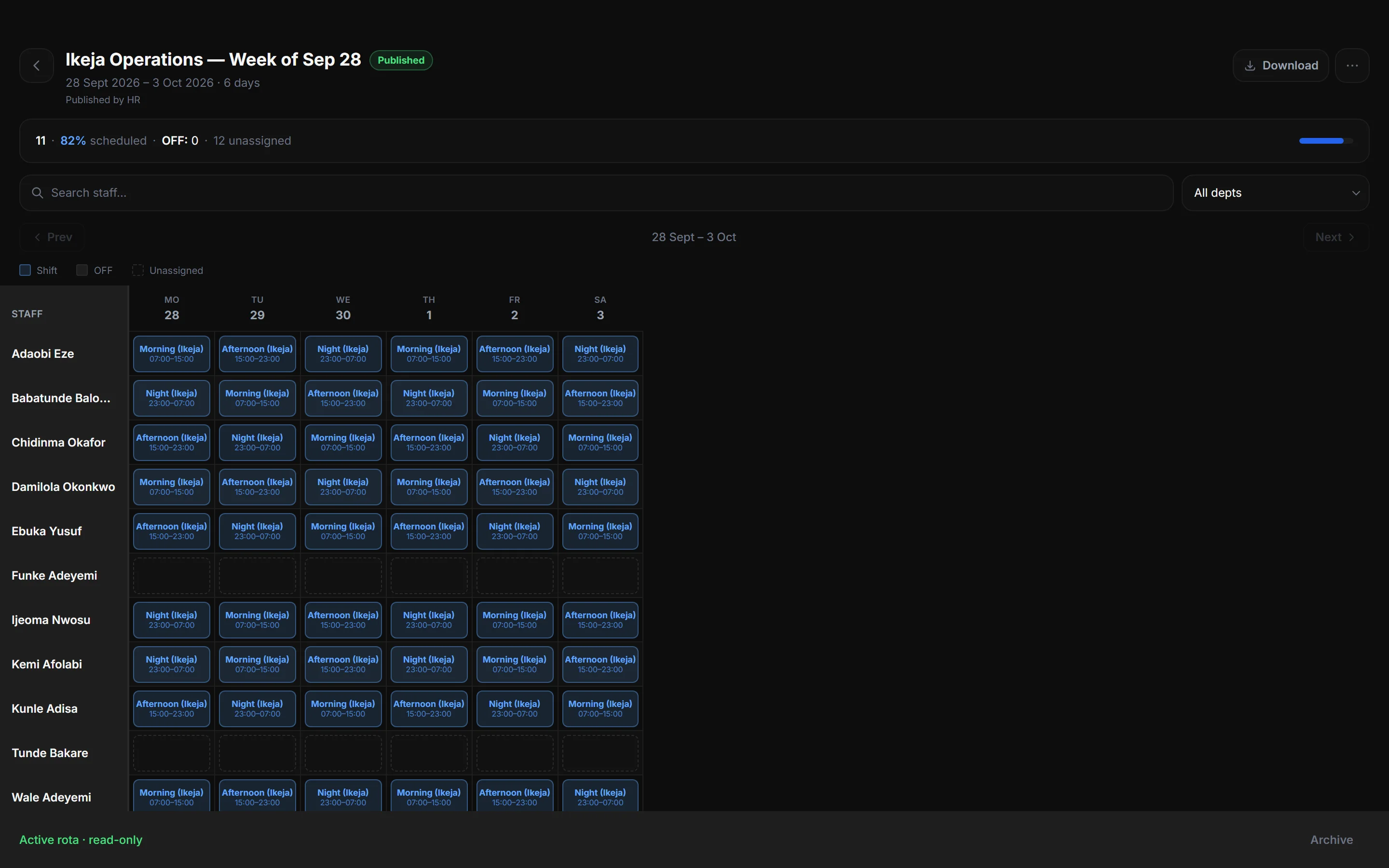
  • Flexible shift scheduling and location configuration
  • Staff directory with employment type and site assignment
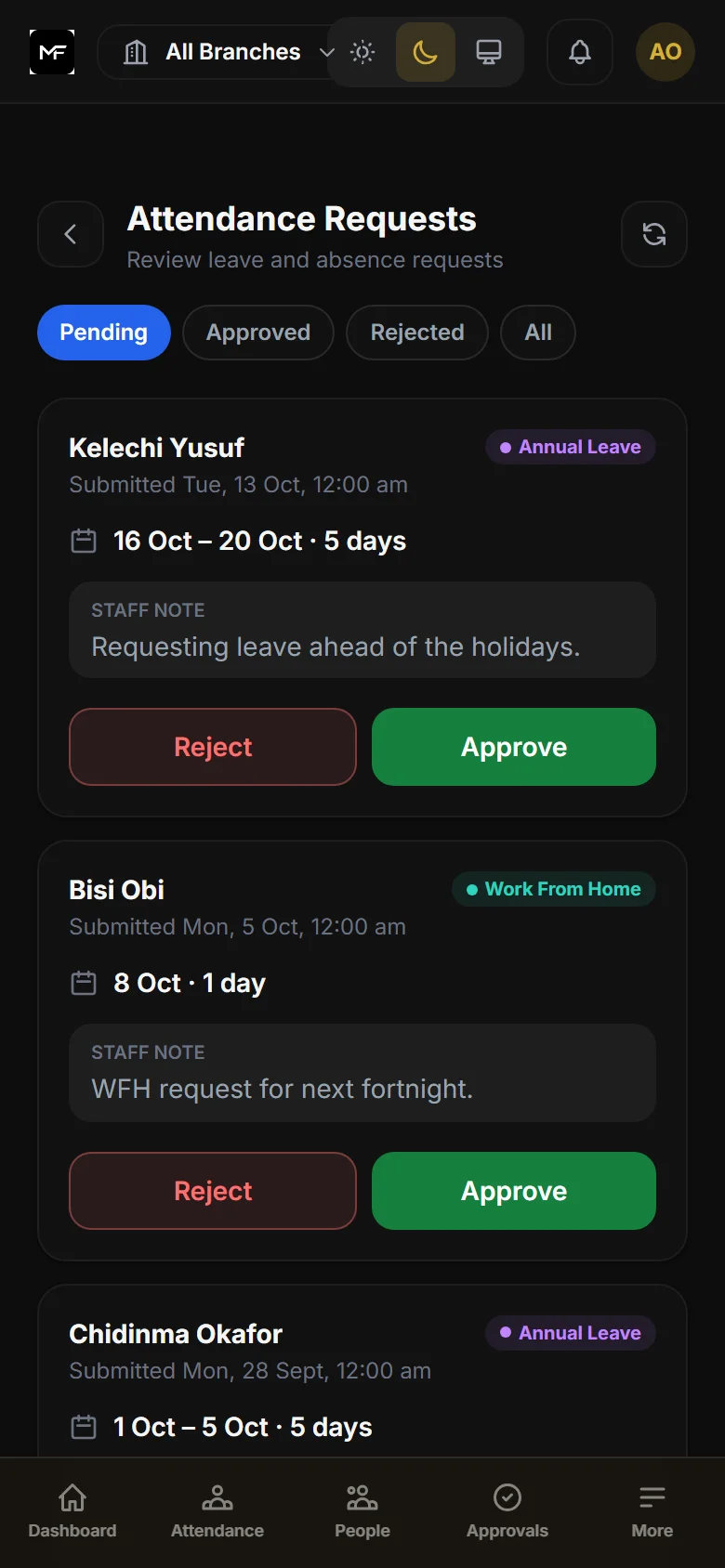
  • Leave and absence tracking alongside attendance records

Security & integrity

Records that cannot be altered without a trace.

  • Full audit log: every clock-in, edit, and admin action recorded
  • Tamper-evident records — all changes are timestamped and attributed
  • Role-based permissions: employees see only their own records
  • Data export for compliance, HR review, or payroll support

Installation

Add Attend to your home screen in seconds.

Attend runs in your browser — nothing to download from an app store. Staff install it like a normal app in a few taps.

Android

  1. 1Open Attend in Chrome
  2. 2Tap menu → "Install App"
  3. 3Attend is on your home screen

iPhone / iOS

  1. 1Open Attend in Safari
  2. 2Tap Share → "Add to Home Screen"
  3. 3Attend is on your home screen

Desktop

  1. 1Open Attend in Chrome or Edge
  2. 2Click the install icon in the address bar
  3. 3Or use Attend directly in any browser tab

Try it live

Explore the full product with real workforce data.

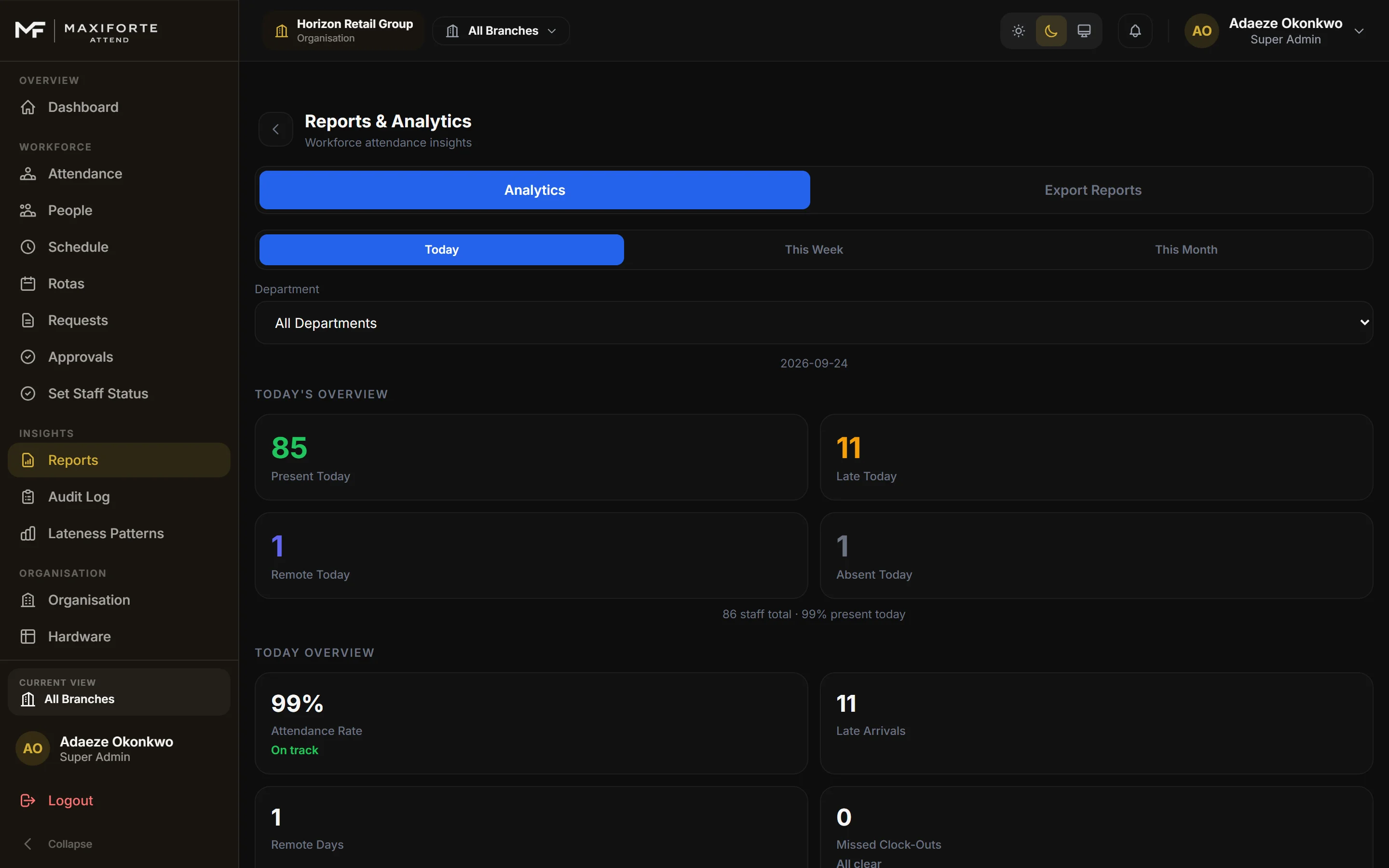
The Attend demo is a fully interactive environment — not a slideshow. Browse the HR dashboard, check today's attendance, review lateness patterns, and run reports exactly as your team would.

No account required to explore the demo.

Security & integrity

Built for operational trust.

Verified identity

Every clock-in is tied to a confirmed employee.

Photo capture and GPS location validation mean no proxy login, no buddy punching, and no disputed record that cannot be resolved with evidence.

Tamper-evident records

Attendance data cannot be changed without a trace.

Every edit, correction, or deletion is logged with a timestamp and the identity of whoever made the change. Nothing disappears quietly.

Role-based access

Staff see only what their role requires.

Employees see their own records. Managers see their team. Admins manage the full system. Sensitive HR data is protected by permissions, not trust.

Who uses Attend

Built for teams that need accurate records.

Small & medium businesses

Running in minutes, not weeks.

Sign up, invite your team, configure shifts — and you are tracking attendance the same day. No implementation project. No IT team required.

Hybrid & field teams

Track remote staff with the same precision as on-site.

GPS location validation and mobile clock-in mean field staff are tracked reliably — regardless of where they start their shift.

Compliance-sensitive industries

Records that hold up to scrutiny.

Verified attendance data and a full tamper-evident audit trail — for industries where record-keeping accuracy has legal or regulatory implications.

Try Attend free

Ready to replace manual attendance tracking?

Explore the live demo to see Attend with real data. Start a 14-day free trial when you are ready — invite your team, configure shifts, and begin tracking from your browser or phone today.